The MEQuest Learn journey

Run any program, from day one to graduation

Training, professional development, mentorship, or a personal learning track - for a weekend or a whole year. Follow one program through every stage on MEQuest Learn: set up, onboard, teach, engage, assess, track, certify, and offboard. Every chapter below is a real screen from a live program.

Create the program
Create the programMap the phasesBuild the communityRun live pollsTrack progressThe learner experience

The journey

How a program comes to life

Follow one program from an empty plan to a room full of graduates. Each chapter is a stage in the life of a program - and every stage, shown here in real screens, is already built into MEQuest Learn.

01Set up

Create the program and assign a lead

Every program starts here. Spin up a cohort for any kind of learning - a training course, a professional programme, a mentorship, or a personal learning track - and hand it to a lead who will run it end to end.

  • Create a cohort for any program, of any size
  • Assign a lead manager to own the program
  • Add instructors and learner assistants by role
  • Give each person exactly the right permissions
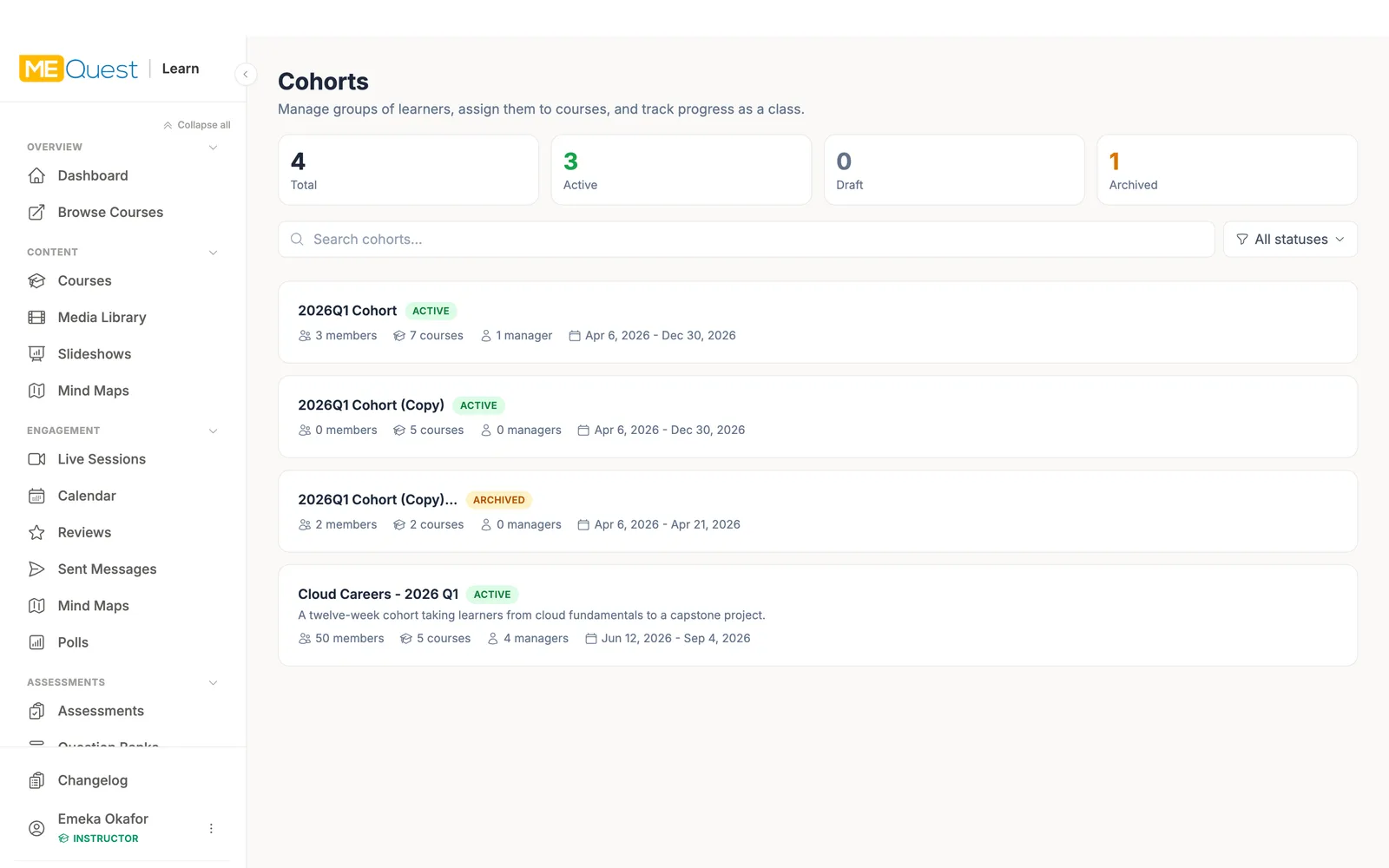
Create the program and assign a lead in MEQuest Learn
02Set up

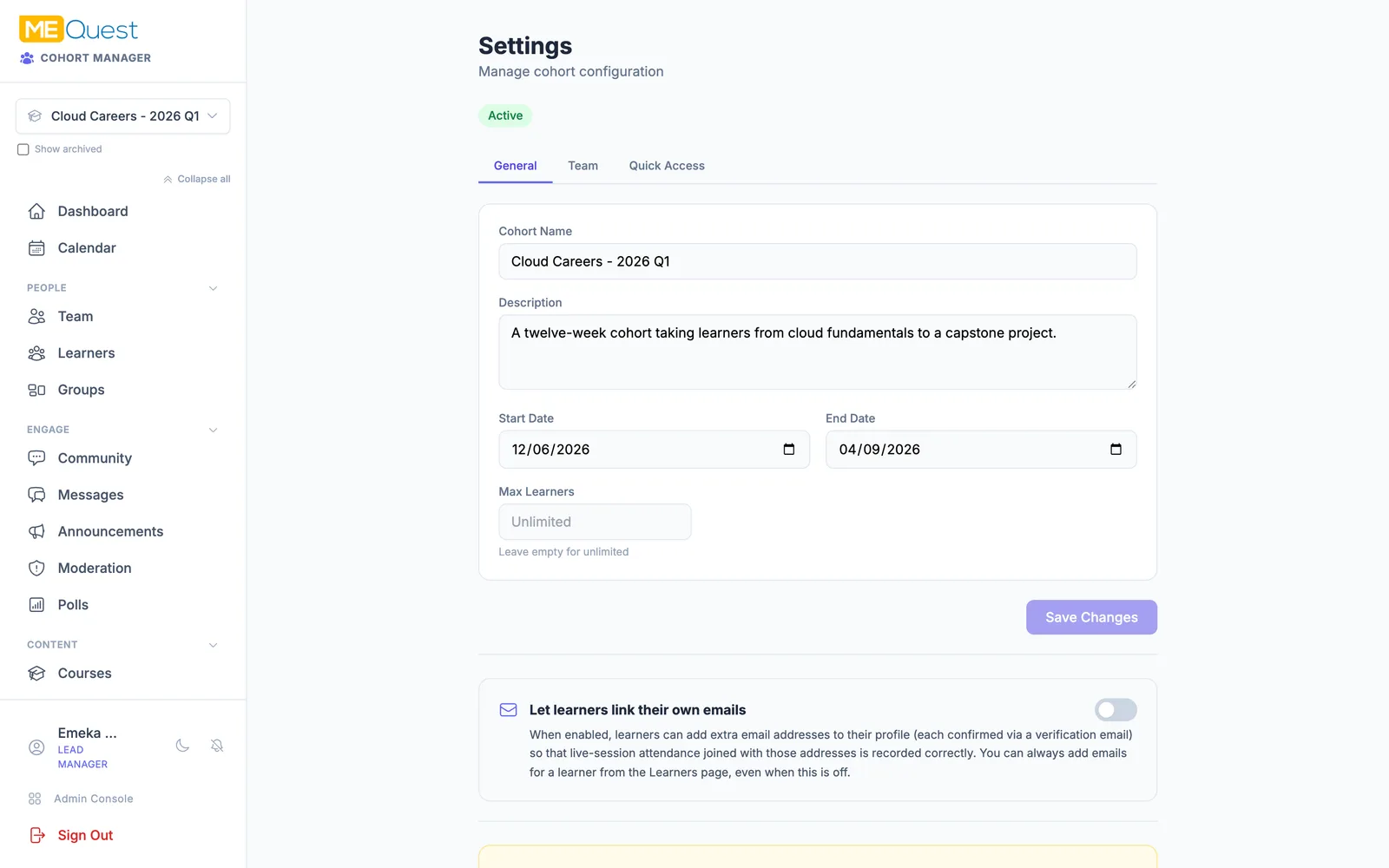
Set the dates and the ground rules

The lead sets the start and end dates, so the program can run for a weekend or a whole year. Enrolment, access, and community rules are all configured in one place.

  • Set start and end dates for any duration
  • Invite with magic links or access codes
  • Choose public, open, or invite-only access
  • Toggle features and community settings per cohort
Set the dates and the ground rules in MEQuest Learn
03Set up

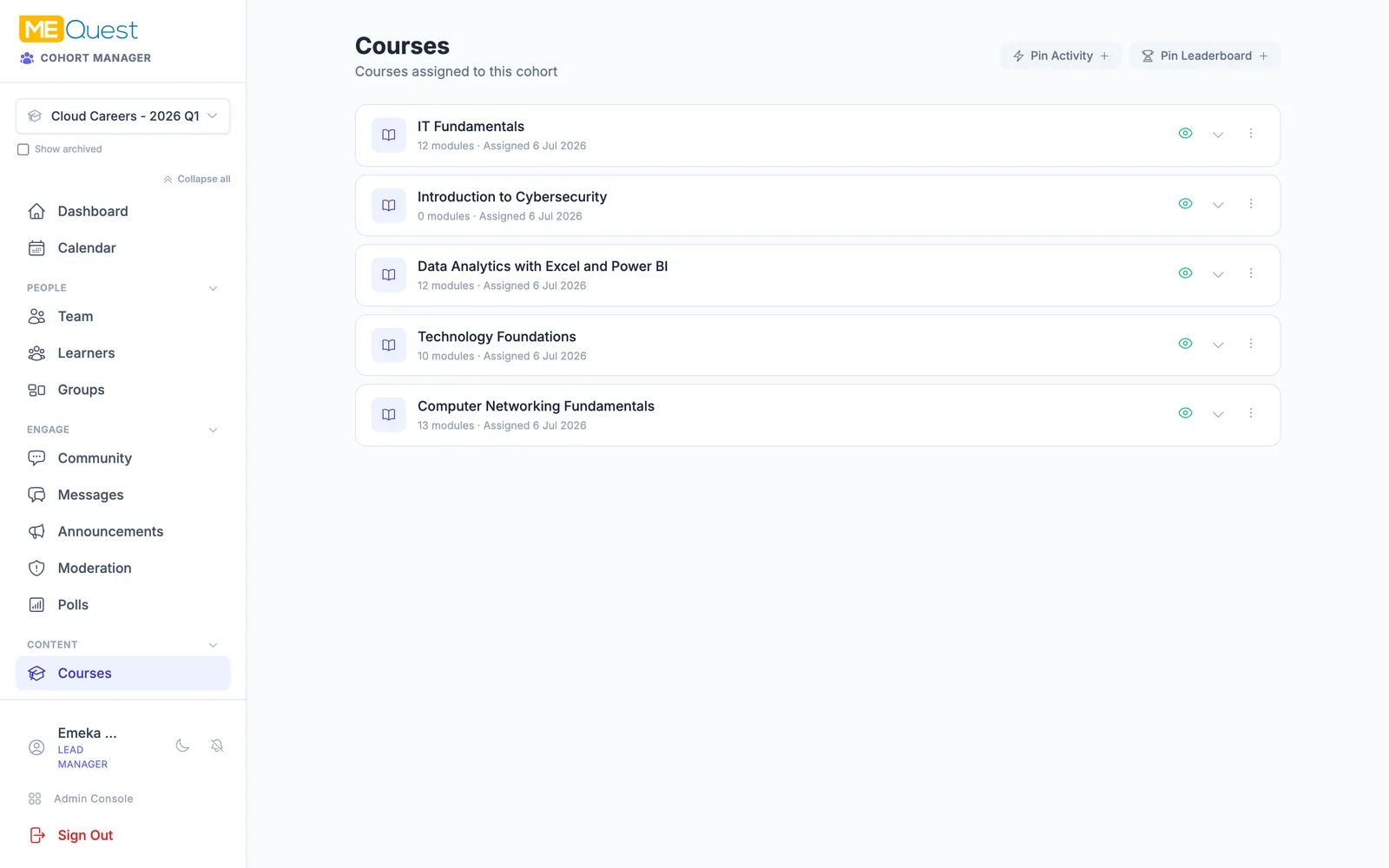
Assign the courses

Attach one or many courses to the program. Build them yourself with our Course Creator, then choose exactly what this cohort should learn.

  • Assign one or several courses to the cohort
  • Author courses with the MEQuest Course Creator
  • Organise content into modules with smart locking
  • Control which courses are visible to learners
Assign the courses in MEQuest Learn
04Set up

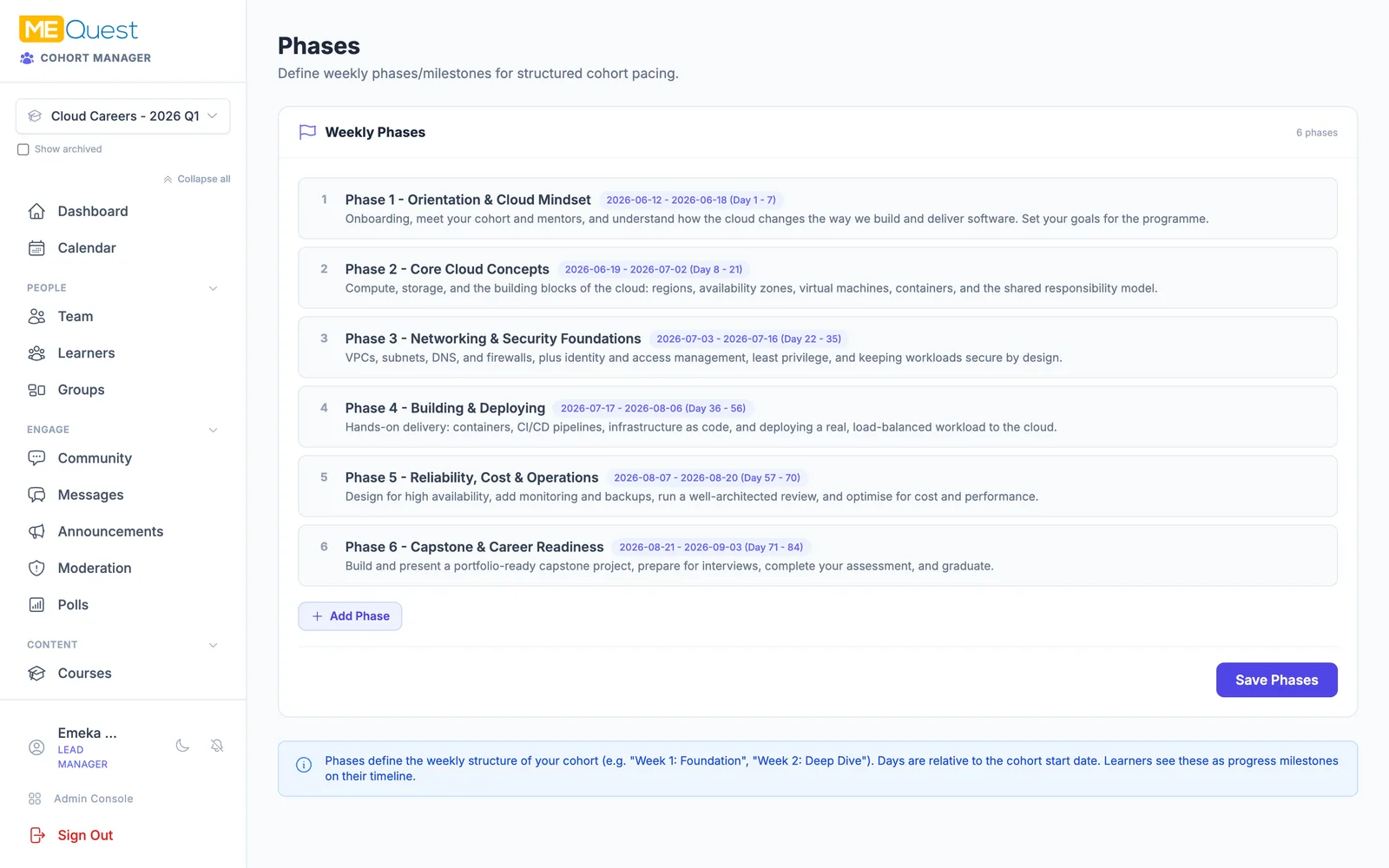
Map the journey into phases

Break the program into phases and milestones, then link each phase to its courses so content unlocks automatically the moment that phase begins. Nobody races ahead or falls behind.

  • Divide the program into time-boxed phases
  • Link phases to courses so they unlock on schedule
  • Content becomes available when its phase starts
  • Give learners a clear map of what comes next
Map the journey into phases in MEQuest Learn
05Set up

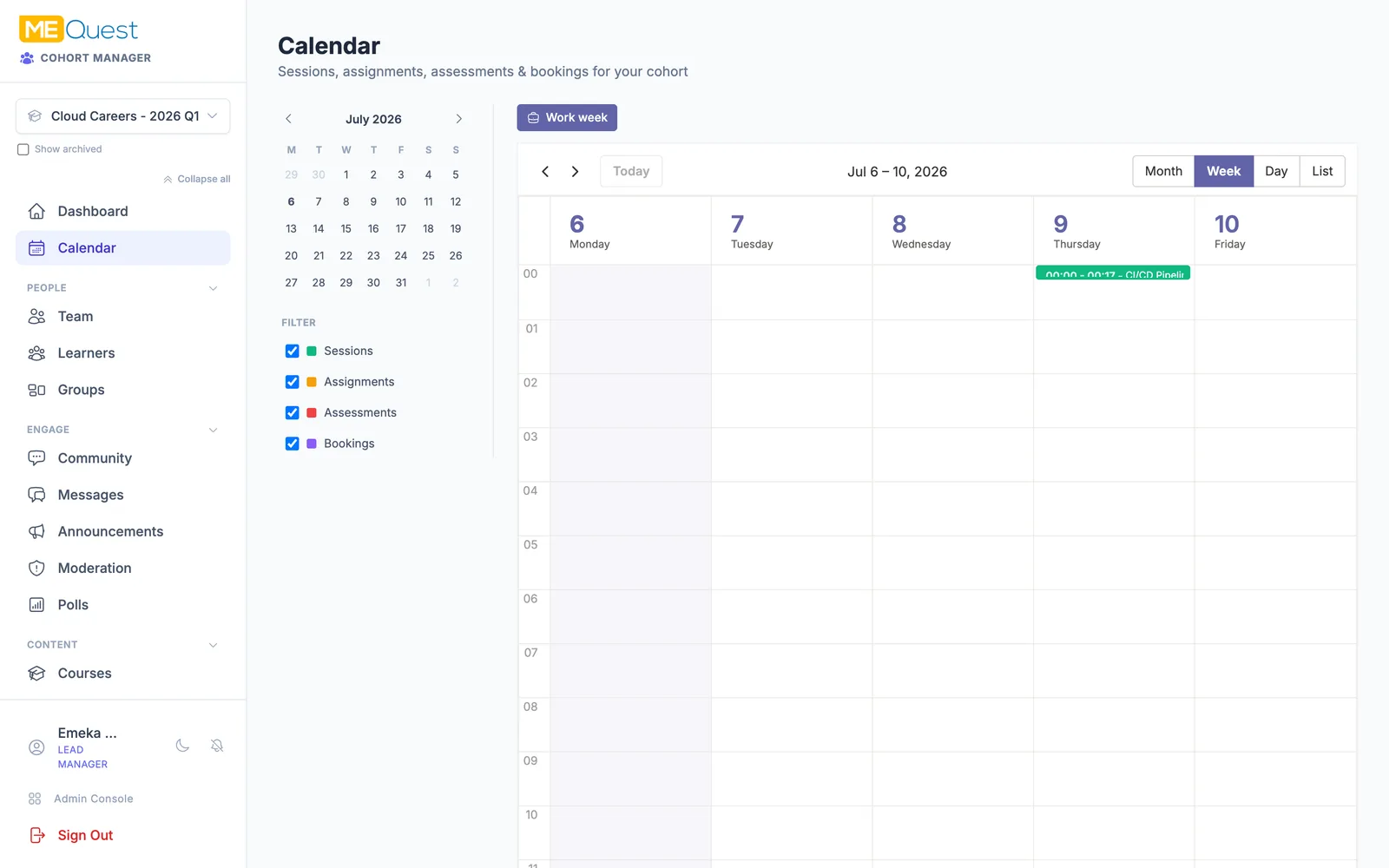
Schedule the whole timeline

See the entire program at a glance. Phases, live sessions, assessments, and deadlines all land on one shared calendar so the team and learners always know what is happening.

  • One calendar for phases, sessions, and deadlines
  • Plan the rhythm of the whole program
  • Keep everyone aligned on key dates
  • Adjust the schedule and the cohort follows along
Schedule the whole timeline in MEQuest Learn
06Onboard

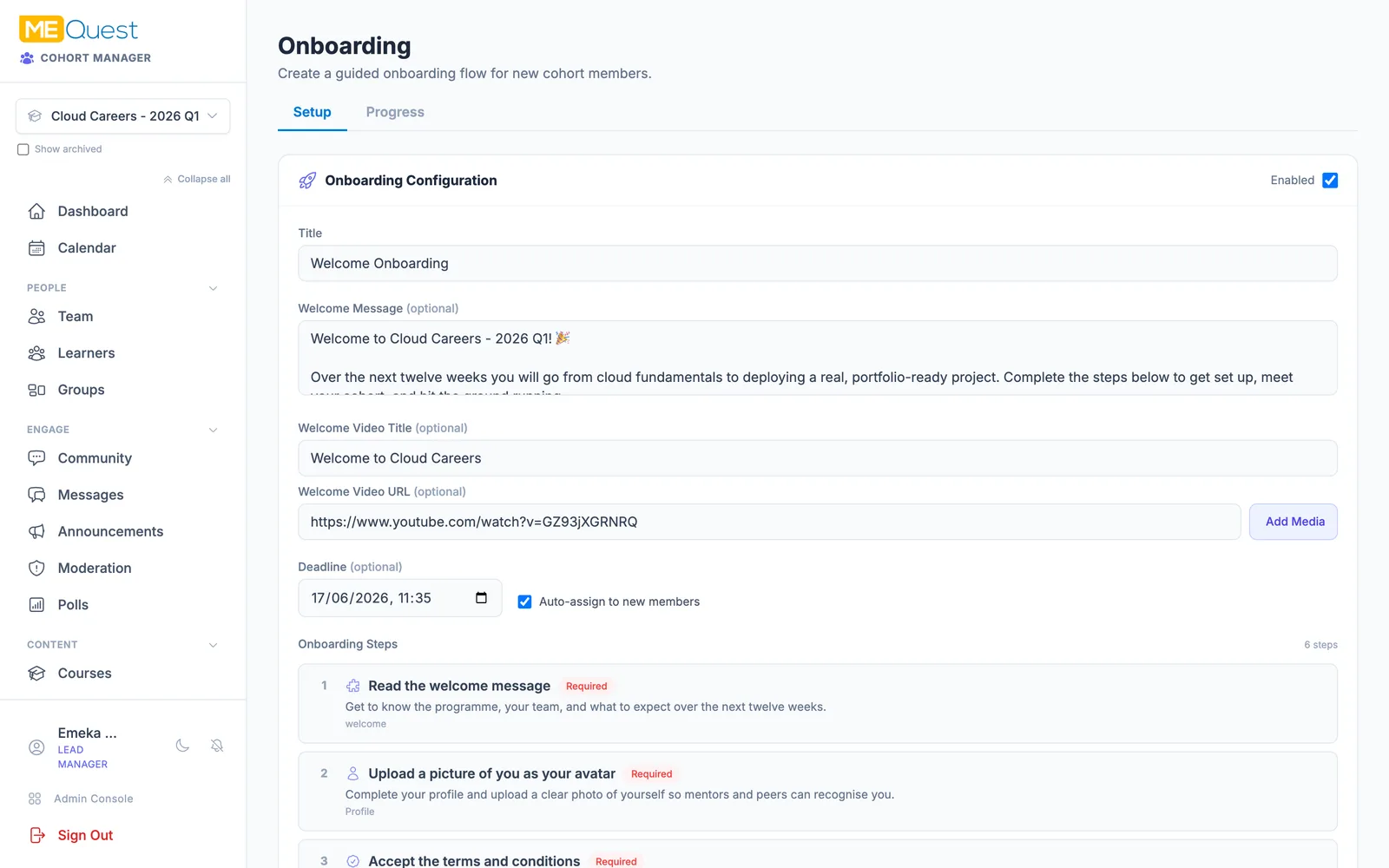
Welcome every learner

Set up a guided onboarding that every new member completes: watch a welcome video, upload an avatar, accept the terms and code of conduct, and introduce themselves in the community.

  • Greet learners with a welcome message and video
  • Ask them to upload an avatar and complete a profile
  • Require accepting the terms and code of conduct
  • Prompt an introduction in the community
Welcome every learner in MEQuest Learn
07Onboard

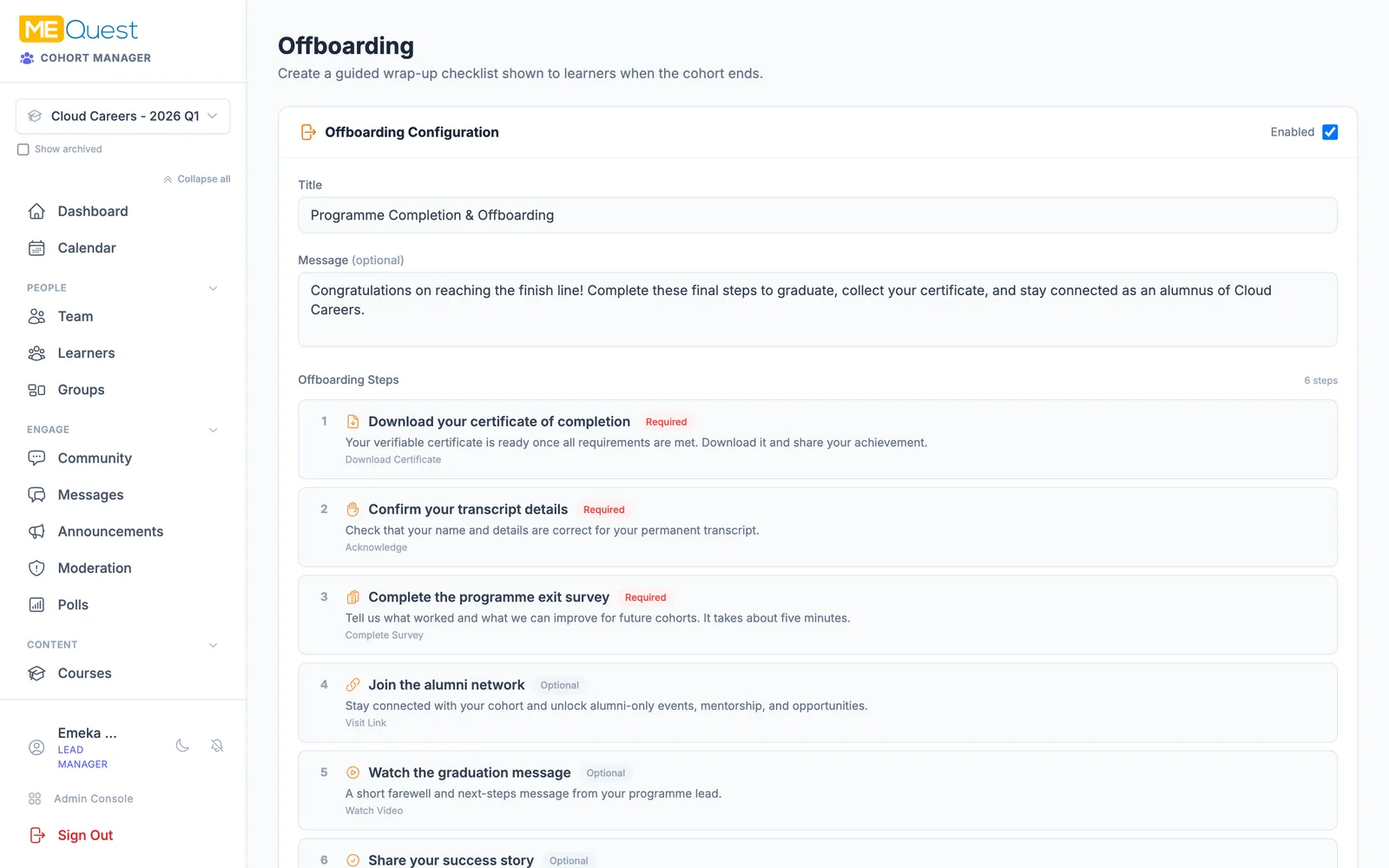
Plan a graceful finish

Design the exit from day one. Offboarding guides graduates through downloading their certificate, confirming their transcript, sharing feedback, and joining the alumni network.

  • Guide learners to download their certificate
  • Confirm transcript details before graduation
  • Collect an exit survey and success stories
  • Invite graduates into the alumni network
Plan a graceful finish in MEQuest Learn
08Teach

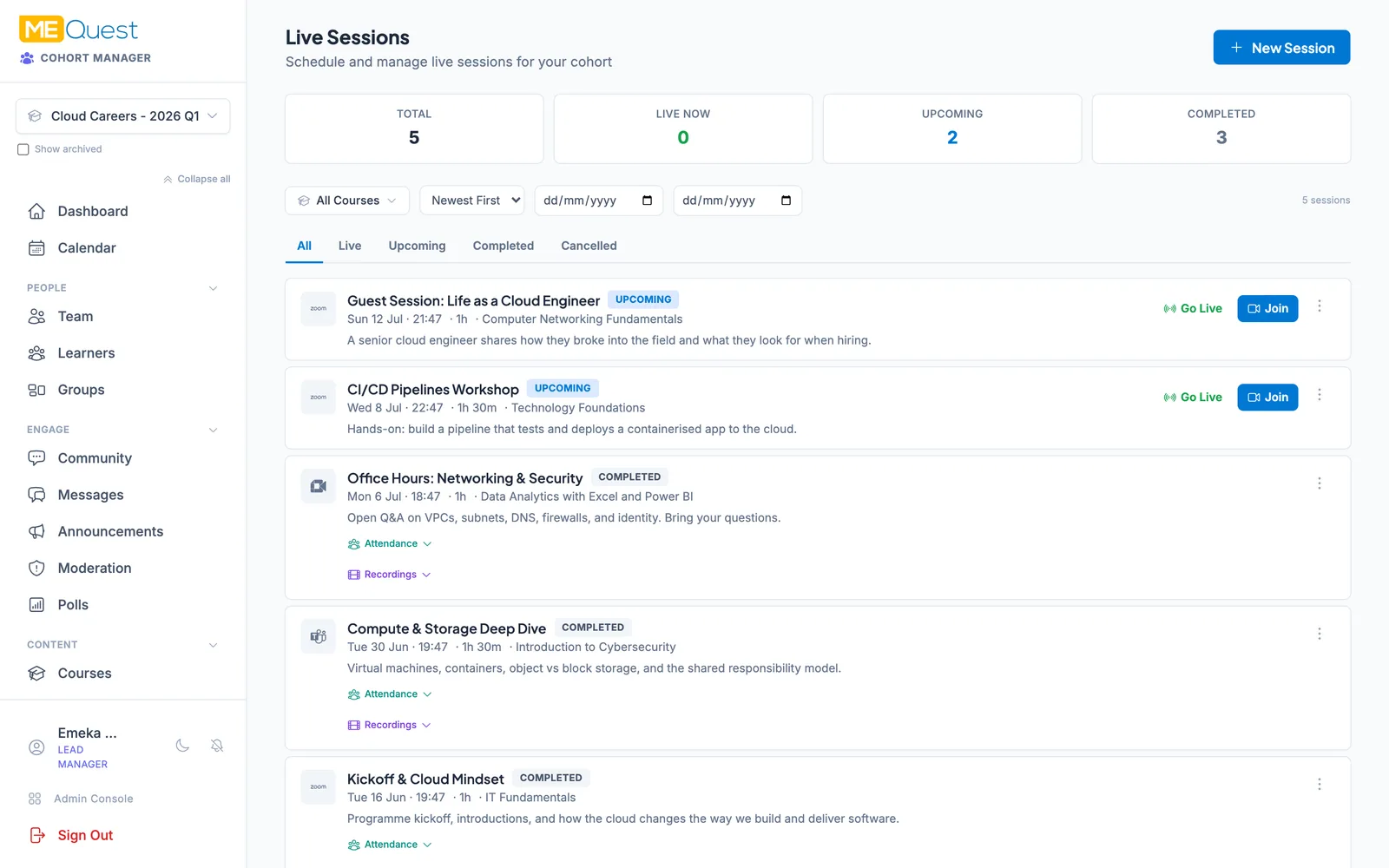
Teach live and present

Run the program as it unfolds. Present your courses as an instructor, schedule and host live sessions on Zoom, Teams, or Meet, share recordings, and track attendance.

  • Present course modules live to your cohort
  • Host sessions on Zoom, Teams, or Google Meet
  • Share recordings for anyone who missed it
  • Track attendance automatically
Teach live and present in MEQuest Learn
09Teach

Set assignments and give feedback

Give learners real work to do. The workbook lets you set problems and assignments, collect submissions, and return marks and written feedback so progress is hands-on.

  • Set assignments and practical problems
  • Collect learner submissions in one place
  • Return marks and written feedback
  • Watch each learner improve over time
Set assignments and give feedback in MEQuest Learn
10Teach

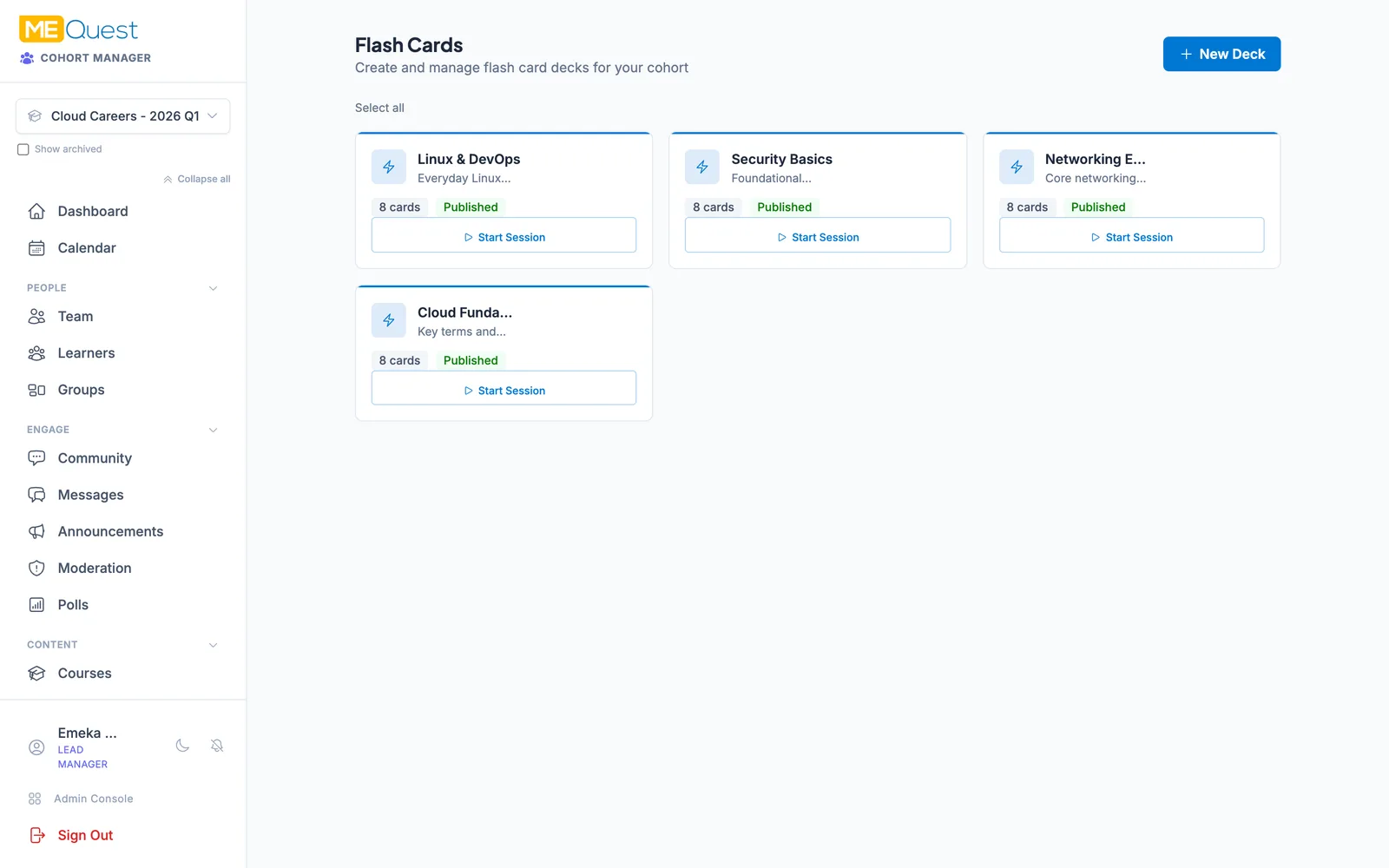
Reinforce with flash cards

Make knowledge stick. Build flash card decks for the cohort, with spaced repetition and offline study, so learners can revise anywhere, any time.

  • Create shared flash card banks and decks
  • Spaced repetition helps knowledge stick
  • Study offline on any device
  • Track study progress per learner
Reinforce with flash cards in MEQuest Learn
11Teach

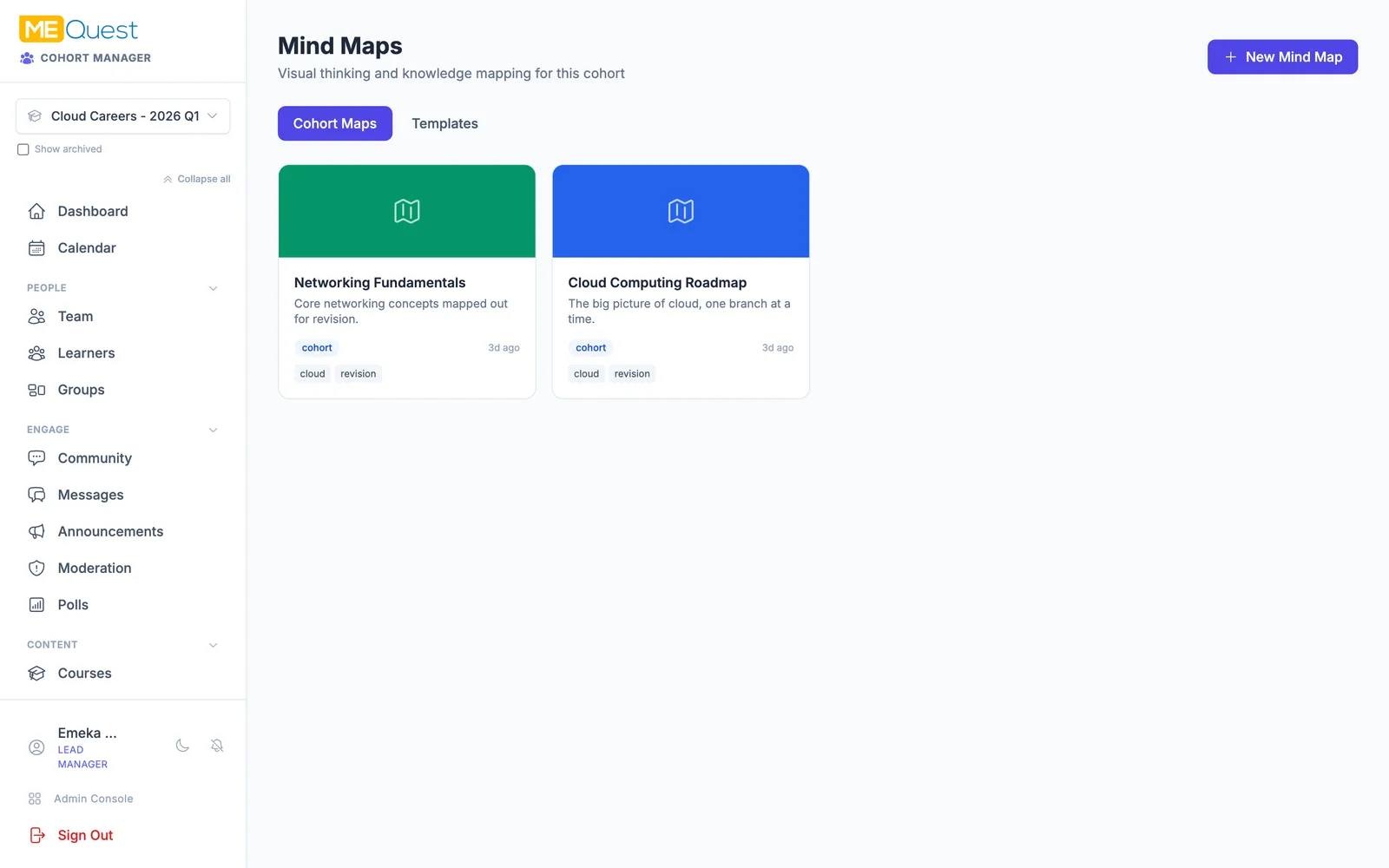
Map ideas with mind maps

Turn complex topics into a clear picture. Build collaborative mind maps to visualise a syllabus, a roadmap, or how ideas connect, and share them with the cohort.

  • Build visual mind maps of topics and roadmaps
  • Themes and layouts make them presentation-ready
  • Share maps across the whole cohort
  • Fork a template to make it your own
Map ideas with mind maps in MEQuest Learn
12Assess

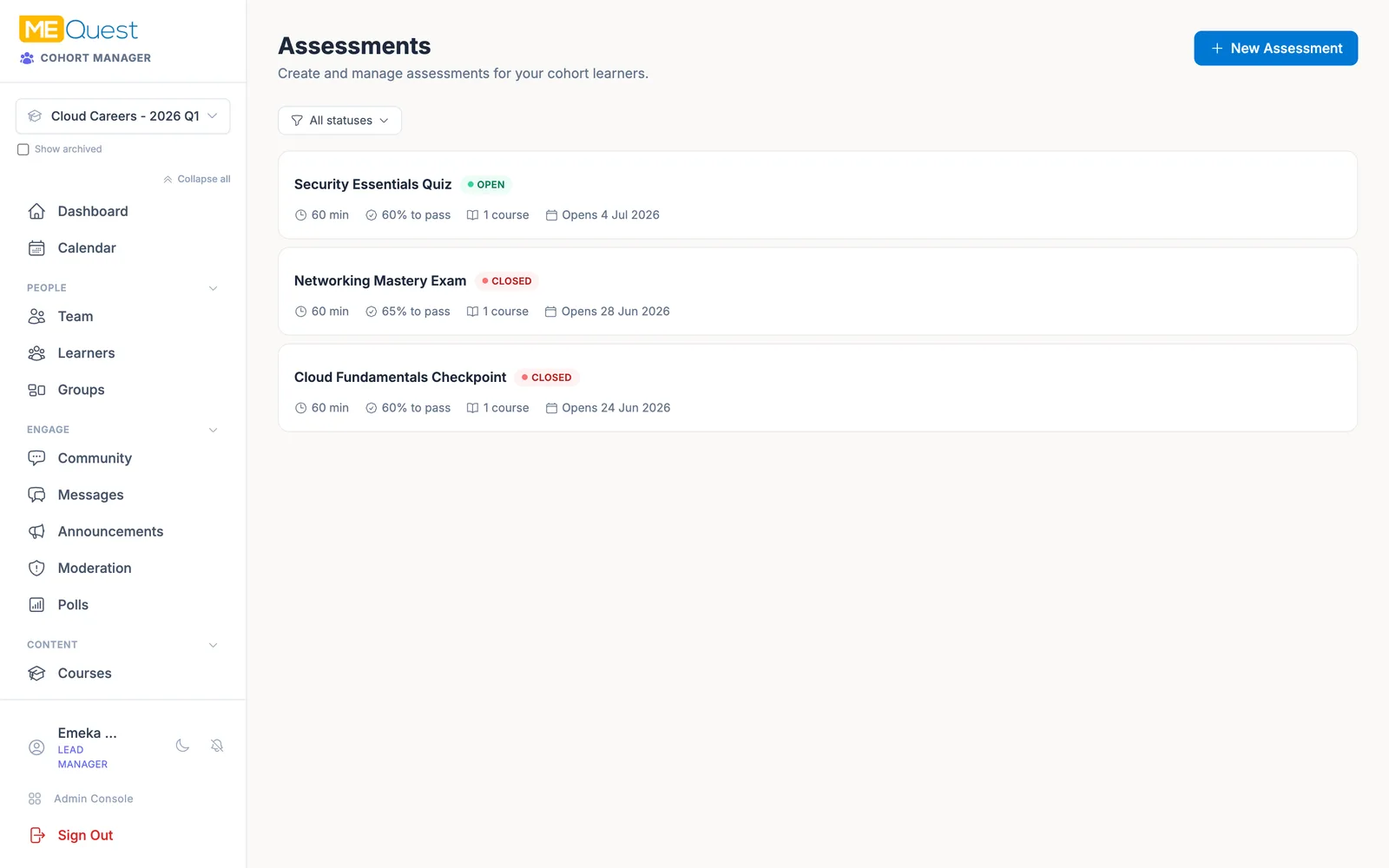
Quiz and assess

Prove what learners have mastered. Run knowledge checks, timed quizzes, and secure exams drawn from reusable question banks, with proctoring and flexible grading.

  • Draw from reusable question banks
  • Run timed quizzes and secure exams
  • Auto-grade answers and streamline marking
  • Control exactly when results are revealed
Quiz and assess in MEQuest Learn
13Engage

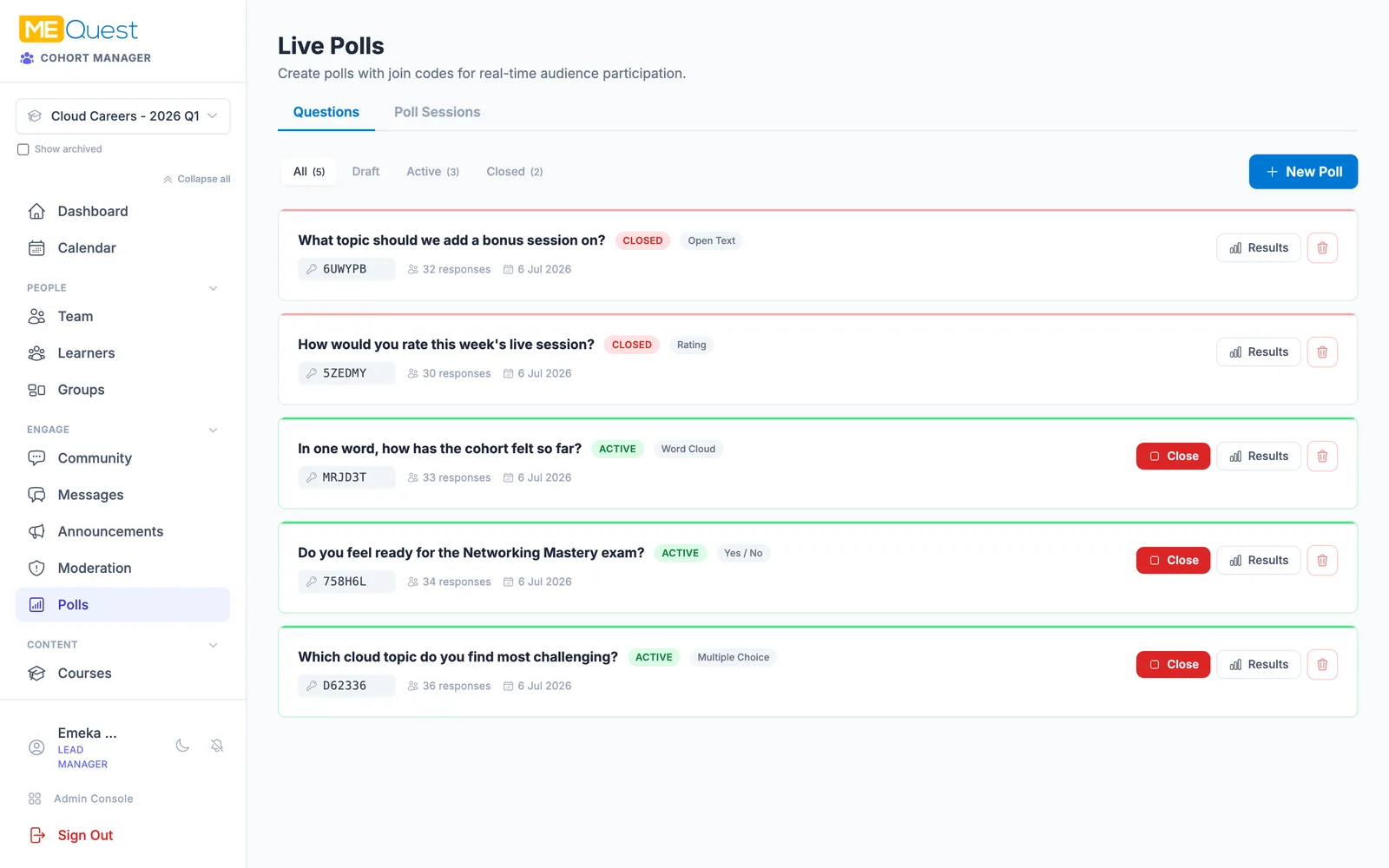
Run live polls and quizzes

Read the room in real time. Launch polls with join codes - multiple choice, word clouds, ratings, and more - or run a full live quiz session with a leaderboard.

  • Live polls with join codes for instant responses
  • Multiple choice, word cloud, rating, and open text
  • Run live quiz sessions with a leaderboard
  • Project results live during a session
Run live polls and quizzes in MEQuest Learn
14Community

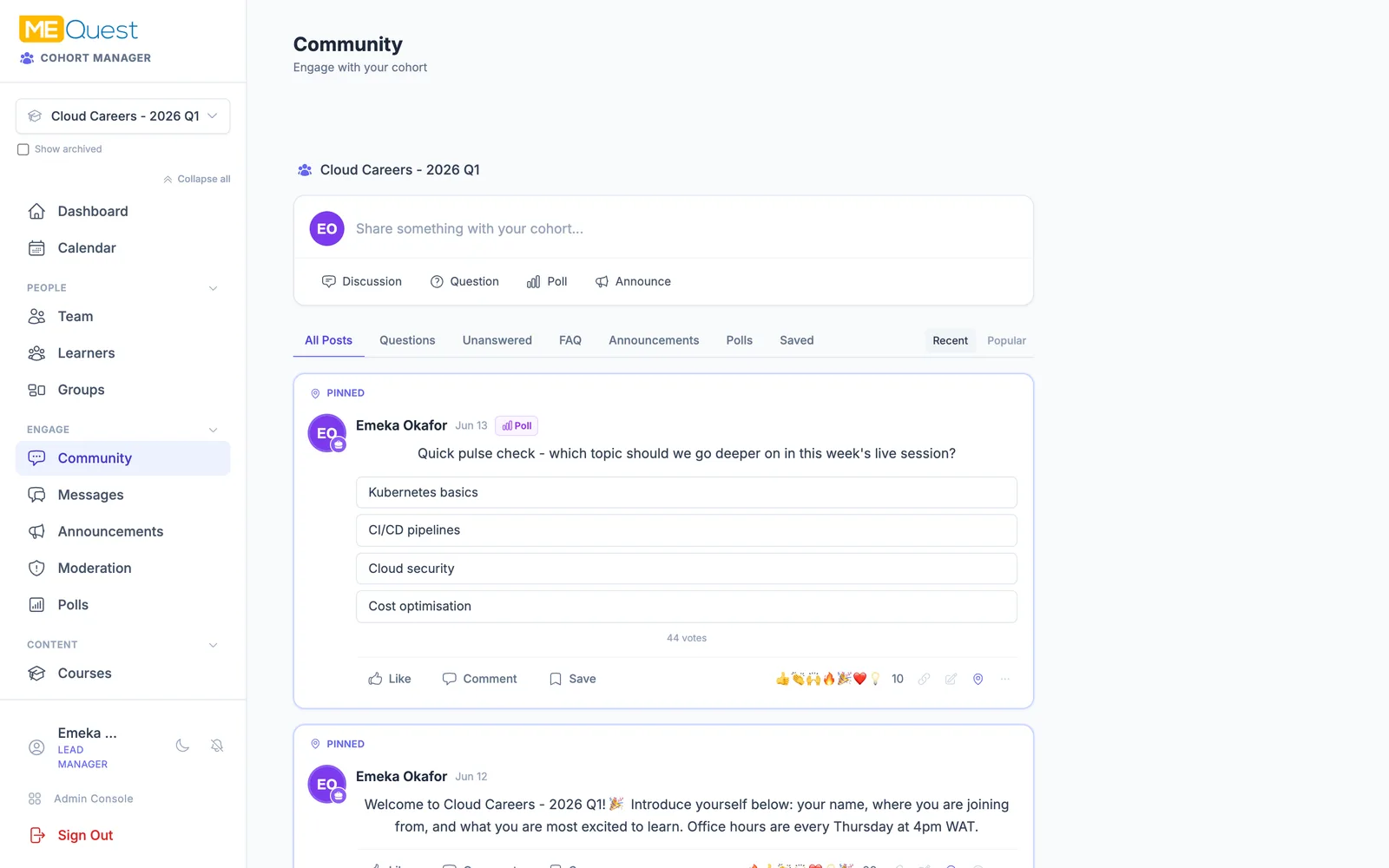
Build a real community

A roster becomes a community. Spark discussions, answer questions, react and reply, run announcements, and let learners help each other with accepted answers and FAQs.

  • Discussions, questions, reactions, and replies
  • Mark accepted answers and build a FAQ
  • Pin and schedule cohort announcements
  • Group learners and message them directly
Build a real community in MEQuest Learn
15Community

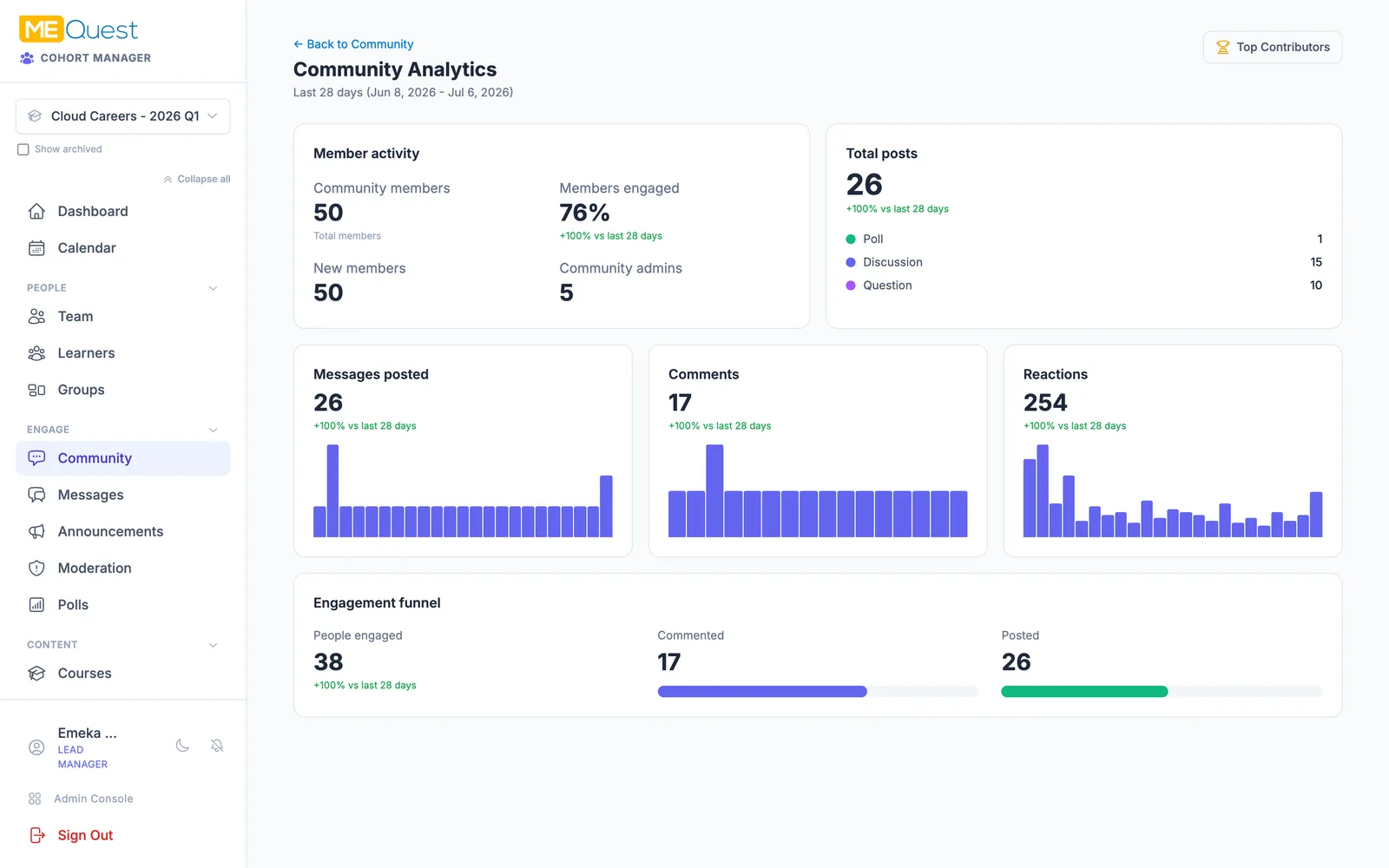
See who is contributing

Understand your community at a glance. Engagement analytics and a top-contributor leaderboard show who is active, what sparks conversation, and where to give a nudge.

  • Engagement analytics for posts and reactions
  • A top-contributor leaderboard
  • See an engagement funnel across the cohort
  • Spot who to celebrate and who needs support
See who is contributing in MEQuest Learn
16Track

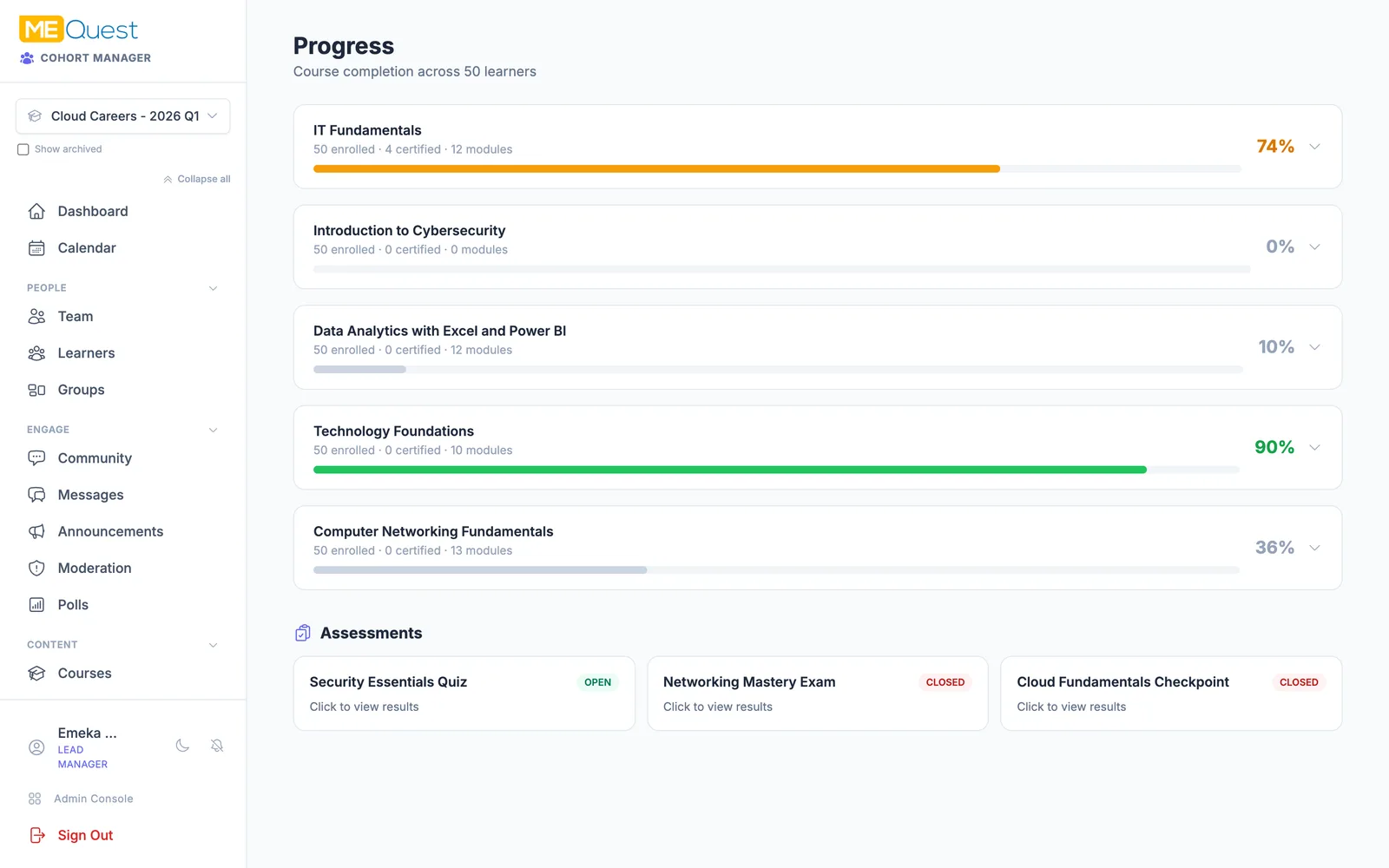
Track progress and certify

See everything, support anyone. Live dashboards show course completion and assessment results across the cohort, and the moment a learner meets every requirement they earn a verifiable certificate.

  • Per-course and per-learner completion tracking
  • Assessment results at a glance
  • Auto-issue branded, verifiable certificates
  • Capture permanent transcript records
Track progress and certify in MEQuest Learn
17The learner

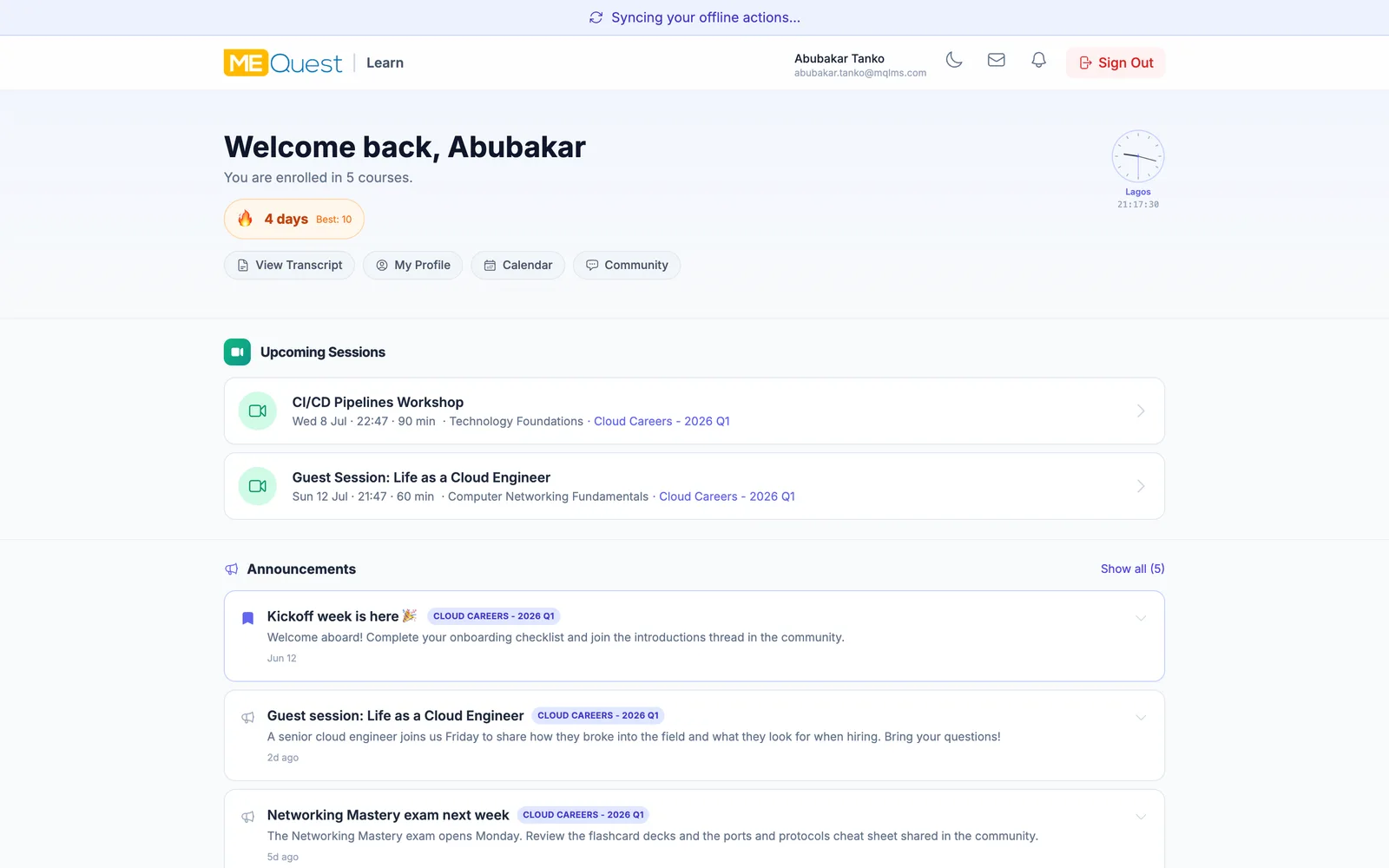
The learner experience

And this is how it all looks from the other side. Learners get a personal home with their courses, streaks, announcements, and progress - everything the program has to offer, in one place.

  • A personal home with every enrolled course
  • Streaks and progress keep learners motivated
  • Announcements and phase progress front and centre
  • Works on the web and installs as an app
The learner experience in MEQuest Learn

The program you just toured

Real data, real screens

0
Learners in the demo cohort
0
Courses delivered
0
Community discussions
0
Live polls run
0
Journey stages

Behind every chapter

The platform that runs it all

Throughout the journey, a secure, role-aware platform keeps your team in control - with the MEQuest Course Creator, admin tooling, and safeguards working quietly in the background.

Course authoring

The MEQuest Course Creator and Slideshow Generator help you build rich content fast.

Admin dashboard

Real-time metrics on courses, learners, and media.

People management

Learners, registrants, instructors, viewers, and admins with roles and invites.

Media library

Organise images, video, and files with course scoping and reusable snippets.

Audit logs

A searchable, filterable trail of every admin action.

Security by design

Rate limiting, soft-delete filtering, and privacy-preserving proctoring by default.

See MEQuest Learn in action

Browse the public course catalogue, or sign in to run your cohorts and courses today.